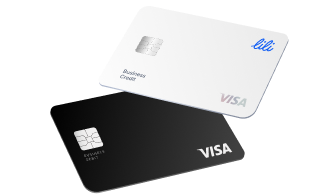
The best business bank accounts for teams in 2026 are Lili for free multi-user, multi-rule access, Relay for multi-account structure and large card fleets, Mercury for startups that need corporate cards and approval workflows, Bluevine for earning interest with basic team roles, Brex for corporate-card spend at scale, and Chase for cash-heavy teams that need branches. The feature that matters is not the account itself but what your team can do inside it: roles and permissions, spending controls, approval workflows, cards for staff, and accountant access.
The trap with business bank accounts for teams is that many providers gate the team features, extra seats, roles, and approvals, behind higher-priced tiers or per-user fees. Below is an honest comparison of what each account gives a team, the features worth insisting on, and how to set up access without exposing your money.
Best business bank accounts for teams at a glance
| Account | Best for teams | Team access | Spending controls | Monthly fee |
|---|---|---|---|---|
| Lili | Free multi-user access plus user permissions | Multiple team logins and accountant access, team cards | Expense controls by amount and vendor category. | $0 (Core) |
| Relay | Multi-account structure and card fleets | Up to 20 accounts, 50 cards, role permissions | Card limits and approval workflows | $0 (Pro $30) |
| Mercury | Startups needing corporate cards | Custom roles and permissions | Card limits, bill-pay approvals | $0 |
| Bluevine | Interest on balances with basic roles | User roles, fuller on paid tiers | Card controls | $0 (activity req.) |
| Brex | Corporate-card spend at scale | Unlimited users, role-based access | Advanced spend policies | $0 (cash mgmt) |
| Chase | Cash-heavy teams needing branches | Authorized users and signers | Account and card controls | $15 (waivable) |
Team features and fees confirmed against provider sites in 2026. Lili, Relay, Mercury, Bluevine, and Brex are fintech platforms, with banking services provided by partner banks. Verify current terms before opening.
The best team accounts reviewed
1. Lili: best for multi-user access with no additional cost
Lili is the strongest fit for most small teams because it puts team access on the Core plan rather than behind an upgrade. Its January 2026 update, aimed at higher-revenue, multi-employee businesses, added multiple team logins, expense controls, and accountant access to the $0 Core plan, so a growing team is not forced to pay per seat or move to a premium tier to collaborate.
The account also holds up as the team scales. Every plan includes a high-yield savings account earning up to 4.00% Annual Percentage Yield (APY)3 and FDIC coverage up to $3 million through a sweep network12, which matters once payroll, reserves, and operating cash push a team past the standard $250,000 single-bank limit. Built-in invoicing, expense categorization, and automated tax set-asides2 mean the finance work a team generates stays inside the account instead of spilling into separate software. Banking services are provided by Sunrise Banks, N.A., Member FDIC.
Best for teams: small and growing teams that want multi-user access, accountant access, and financial tools without per-seat fees.
2. Relay: best for multi-account structure and card fleets
Relay is built for teams that need many accounts and many cards under tight control. You can open up to 20 checking accounts and issue up to 50 physical or virtual debit cards, then assign card permissions, set spending limits, and route payments through approval workflows. It suits teams that budget with the Profit First method or need to separate cash by department. The standard plan is free, and Relay Pro adds same-day ACH and automated payables for $30 per month.
Best for teams: teams that run on multiple accounts or need to issue and govern a large fleet of cards.
3. Mercury: best for startups needing corporate cards
Mercury gives startups clean team controls: custom roles and permissions, corporate cards with limits, and bill pay with approval workflows, all with no monthly fee. It syncs with QuickBooks, Xero, and NetSuite and offers API access, which fits engineering-heavy teams. The trade-off is that Mercury does not accept cash deposits, so it is wrong for any team that handles physical currency.
Best for teams: venture-backed and digital-first teams that pay by wire and manage spend through corporate cards.
4. Bluevine: best for interest with basic team roles
Bluevine lets a team earn yield on the operating balance while sharing access. Its Standard plan is free with a monthly activity requirement and pays interest on balances up to a cap, with fuller user-role controls available on paid tiers. It also offers a line of credit. For teams whose priority is earning on cash rather than granular spend governance, it is a strong option.
Best for teams: teams that want interest on their checking balance and only need basic shared access.
5. Brex: best for corporate-card spend at scale
Brex is less a bank account than a spend platform with a business cash-management account attached. It shines for larger or fast-scaling teams that need unlimited users, role-based access, and advanced spend policies enforced at the card level. It is heavier than most small teams need, but for a company managing spend across dozens of employees, its controls are among the deepest available.
Best for teams: scaling teams that need enterprise-grade spend controls and many card users.
6. Chase Business Complete Banking: best for cash-heavy teams
Chase is the pick when your team deposits cash or wants in-person support. You can add authorized users and signers, control accounts and cards, and access more than 4,700 branches, with free cash deposits up to a monthly cap. The monthly fee is waivable with a balance or card spend, but the account pays 0% APY, so large idle balances lose ground to a high-yield alternative.
Best for teams: teams in retail, trades, and hospitality that handle cash or need branch access.
Team features that actually matter
When comparing business bank accounts for teams, score these five capabilities, not the headline price.
Roles and permissions. Each person should get a defined role, from full transaction authority down to view-only, so access matches responsibility instead of everyone sharing one login.
Spending controls. Per-card limits and category restrictions keep spending inside policy and prevent a single large or off-policy transaction from slipping through.
Approval workflows. Payments and bills above a threshold should route to an approver before they send, which is the difference between governance and hoping people follow the rules.
Team cards. The ability to issue physical and virtual cards to team members, each with its own limit, lets people spend what they need without sharing one card number.
Accountant access. A dedicated, read-or-limited role for your bookkeeper or accountant removes the month-end scramble of exporting statements and keeps your books current.
Which access model does your team need?
Team accounts solve three different problems. Match the account to yours.
Multiple owners or partners. You need shared, equal-visibility access with clear signer authority and spending limits per partner, plus an audit trail so no one can move large sums undocumented.
An employer with staff. You need to issue cards with individual limits, assign narrow roles, and approve spend, so employees can transact without touching the core account.
A solo owner with an accountant. You need one extra role: limited access for a bookkeeper to view and reconcile without the ability to move money.
Why FDIC coverage matters more for teams
A team’s balance is bigger and lumpier than a solo owner’s. Payroll runs, tax reserves, and operating cash stack up, and a single payroll cycle can push the account well past the standard FDIC limit of $250,000 per depositor, per bank.
That is why sweep coverage is a team feature, not a footnote. Platforms that spread deposits across partner banks raise protection to $3 million or more, so the money you are holding for payroll and taxes stays fully insured. For a team, choosing an account with sweep coverage is a basic risk control.
The real cost of team features
The headline price rarely tells you what team access costs. Three pricing traps hide in the fine print.
Per-seat fees. Some providers charge for each additional user, so a growing team pays more every time it adds a person.
Tier-gated roles. Approval workflows, accountant access, and granular permissions are often locked to a premium plan, turning a “free” account into a paid one the moment you need real controls.
Add-on software. If roles and expense tools are not built in, teams end up buying separate spend-management software, paying twice for what an all-in-one account includes.
How to set up team access safely
Adding people to a business account is where good governance is won or lost. Follow the same principles a finance team would.
Use least-privilege access. Give each person the minimum authority their job requires, and keep the number of people with unlimited access as small as possible.
Set spending limits from day one. Limits are not about trust, they are about preventing mistakes and creating clear boundaries even in the best partnerships.
Require approvals above a threshold. Route large payments and wires to a second person so no single login can drain the account.
Keep an audit trail. Ensure every action is attributable to a user, which protects the business and every individual on it if a transaction is ever questioned.
Common mistakes to avoid
Giving everyone equal access. Setting all users to full authority is the most common and most dangerous default. Match access to role instead.
Skipping spending limits. Without per-card and per-user limits, one off-policy purchase can clear before anyone notices.
Paying per seat without checking alternatives. If team access is free on one platform and metered on another, the metered account can cost far more as you grow.
Ignoring FDIC limits at team scale. Payroll plus reserves routinely exceeds $250,000, so a single-bank account leaves part of your team’s money uninsured.
Treating the accountant as an afterthought. Without a dedicated role, bookkeepers work from stale exports, and your books fall behind.
How Lili Helps
Lili is built for the way small teams actually work, and it puts the team features on the Core plan rather than behind an upgrade or tiered plans. The $0 Core plan includes multiple team logins, team cards, and accountant access, so a growing team collaborates without per-seat fees or a forced move to a premium tier.
As the team scales, the account scales with it. Every plan includes a high-yield savings account earning up to 4.00% APY and FDIC coverage up to $3 million through a sweep network, which keeps payroll and reserves fully insured past the standard limit. Built-in invoicing, expense categorization, and automated tax set-asides keep the finance work a team generates inside one app, and accounts open online in minutes, including for non-US founders using a passport and an EIN. For a growing business that wants team access, real deposit protection, and financial tools in one place, Lili covers it on the any plan.
FAQ
What is the best business bank account for a team?
It depends on your team. Lili is best for no additional cost multi-user access with team cards, Relay for multiple accounts and large card fleets, Mercury for startups needing corporate cards, and Brex for spend controls at scale.
Can multiple people access one business bank account?
Yes. Most modern business accounts support multi-user access, letting you invite team members and assign roles from full transaction authority down to view-only, so access matches each person’s responsibility.
Which business bank accounts include team access for no additional cost?
Lili includes multiple team logins and accountant access on its $0 Core plan. Some banking platfroms charge per seat or restrict roles and approvals to paid tiers, so confirm what is included before choosing.
How do spending controls work on a team business account?
You set per-card and per-user limits, restrict spending categories, and route payments above a threshold to an approver. This keeps spending inside policy without blocking day-to-day work.
Can I give my accountant access without letting them move money?
Yes, on accounts that offer a dedicated accountant or view-only role. The bookkeeper can view and reconcile transactions and download statements without the ability to transfer funds.
Is my team’s money safe above $250,000?
Only if the account uses an FDIC sweep network. Standard coverage is $250,000 per depositor, per bank, but platforms like Lili extend it to $3 million by spreading deposits across partner banks, which matters once payroll and reserves add up.
What is the difference between multiple owners and team access?
Multiple owners share equal-visibility access with signer authority per partner. Team access for employees is narrower: staff get cards and limited roles, and spend is approved, so they can transact without controlling the core account.